


Economic Times : Business News
4.62.86K Reviews
App Specs
- Version
- 5.6.2
- Updated On
- License
- Free
- Downloads
- 10,000,000+
- Developer
- TIL (Times Internet Limited)
- Categories
- News & Magazines
- Platform
- Android, iOS
Screenshots
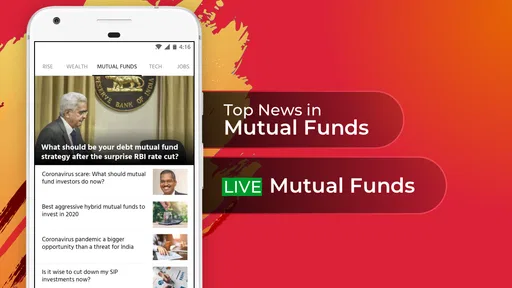
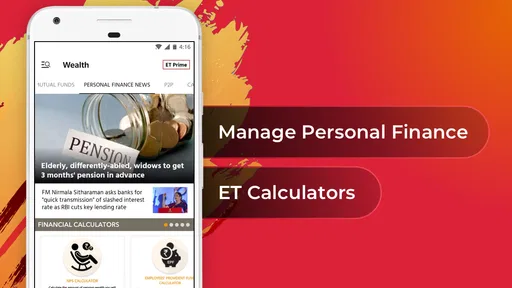
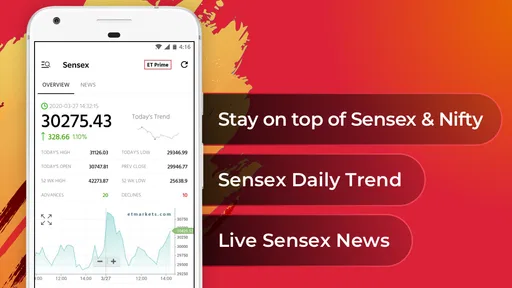

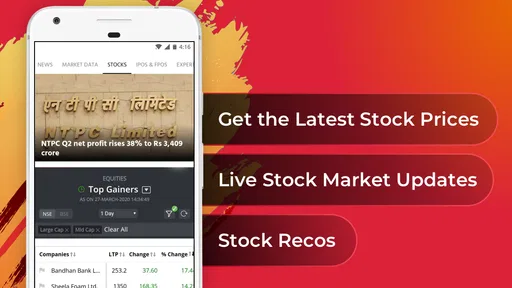
 Analysis by AppCompare
I usually want business news to answer two different needs: a quick check of what is moving markets, and enough context to understand why it matters. Economic Times: Business News is built around that mix, bringing business reporting and market-focused coverage into a phone app. It makes the most sense for readers who follow companies, the economy, or investing and want a dedicated place to check during the day, rather than relying only on general headlines.
How the app fits a busy reading routine
In everyday use, I would treat the home screen as a starting point, not a complete briefing. A glance can help me spot a headline worth opening, but business stories often need context before they are useful. I find it more practical to pick one or two topics I care about, read beyond the headline, and then return later when I have time for a deeper report. That approach keeps a news session focused instead of turning into an endless scroll.
The app is free to download and is published by TIL (Times Internet Limited). Its business and market coverage is aimed at readers interested in subjects such as the Sensex, stocks, BSE, NSE, and Nifty, so it has a more specific purpose than a broad news reader. The app has a 4.6 average from around 271,000 ratings and has been installed over 10 million times. Those figures suggest it has found a large audience, though they cannot tell you whether its editorial mix will suit your own interests.
Quick checks versus deeper reading
The appeal for me is the possibility of moving from a quick update to a fuller explanation without switching to a different kind of source. That matters when a market headline raises a question: a short item may tell me what happened, while analysis can help frame the forces behind it. I would still avoid treating a news app as a substitute for careful research or financial advice. Coverage can inform a decision, but it cannot account for your goals, risk tolerance, or the full picture behind an investment.
If I were checking the app during a workday, I would use it in short sessions: scan the main headlines in the morning, revisit a relevant story around a market-moving event, then save longer reading for a break. The value of that routine depends on how well the content matches what I follow. Readers who want business news alongside local, cultural, and general-interest reporting may prefer a broader news app; readers who want market and corporate coverage in one place have a clearer reason to try this one.
Speed expectations and heavier sessions
For a news app, speed is less about a flashy transition and more about whether I can get from a headline to the story I need without friction. I would expect the experience to feel most useful when I have a reliable connection and am reading text, while video and audio naturally ask for more time and data than a quick scan. If a page seems slow, switching from a media item to a text story is a sensible way to keep up without waiting through a longer format.
Busy moments can also make a focused routine worthwhile. Rather than opening every alert or jumping between several market topics, I would choose the updates that affect my interests and check the supporting coverage when I can give it attention. This is a practical distinction: a burst of notifications can create awareness, but it does not automatically create understanding. For anyone who follows markets closely, separating urgent headlines from background reading helps prevent the app from becoming another source of noise.
Worth Reading Before You Choose

Baby Panda World Brings Quick Play to Modern Phones, but Its Game Library Feels Busy

ESPN’s Live Game View Makes Following Close Games Easier

QuizzLand Review: A Good Fit for Short Trivia Breaks, Not Every Player

Basketball Stars: Multiplayer Is Fast, but Can It Recover When Matches Go Wrong?

WEBTOON Turns Phone Updates Into a Better Reading Routine

Link to Windows Runs on Shared Habits, Not Social Feeds
Personalization, alerts, and useful trade-offs
The personalized feed is most helpful when I use it as a filter, not as the only view of the news. A feed shaped around my interests can make relevant stories easier to find, but checking the wider headline mix occasionally is a good counterbalance; otherwise, I may miss a business story outside my usual beat. I would also review alert choices after using the app for a while. Keeping only the notifications that genuinely change what I need to know makes them more useful than turning every update into an interruption.
The widget can serve a different purpose from opening the app: it is suited to a quick glance at updates, while a full article is better when I need detail. I would not rely on a brief widget view to interpret a market move. Instead, I would use it to decide whether there is something worth reading, then open the relevant coverage when I have the time. That small division of labor makes the feature more practical and helps keep short checks short.
Who is likely to get the most from it
I think the app is a good fit for someone who regularly follows business headlines, company developments, or Indian market references and wants those subjects close at hand. It can also suit a student or professional who needs a steady reading habit around economic news, provided they are willing to distinguish reporting from analysis and check important claims in context. The audio and video formats may help when reading is inconvenient, although they are not automatically the best choice in a noisy commute or when mobile data is limited.
By contrast, I would skip it if I mainly want a balanced feed of general news, have little interest in business, or dislike advertising in a free reading experience. Someone who needs highly specialized investment tools should also look at dedicated financial platforms rather than expecting a news app to do that job. Here, the central value is staying informed, not replacing a broker, research service, or personal financial plan.
The app is rated for Everyone and is free, with in-app purchases ranging from $0.99 to $174.99 per item. That makes it possible to start without paying, while leaving room for paid content or options that some readers may choose to explore. I would begin with the free experience and decide only after seeing whether the regular coverage meets my needs; there is little reason to pay for access before knowing how often I will use it.
On Android, the current version is 5.5.0 and the stated minimum operating system is Android 8.0. That gives a useful compatibility check before installing, especially on an older phone. I would also keep expectations realistic on a device with limited storage or a weak connection: news text is generally a lighter activity than streaming media, but audio and video can make a session more demanding. If the phone struggles, sticking to text and closing other active apps is a sensible first adjustment.
When returning after an interruption, I would reopen the story I meant to finish rather than assume a headline or alert contains the whole update. That is a simple recovery habit, but it matters in business coverage, where later details can change the meaning of an earlier report. The app’s release history began on November 25, 2011, and the number of reviews sits at around 2,900, but neither age nor review volume guarantees that every reading session will be smooth. My practical test would be whether it loads the stories I care about reliably on my own connection and device.
Compared with a general-purpose news app, this one is more appealing when I want business coverage to take priority. Compared with financial dashboards, it is better approached as a source of reporting and explanation than as a tool for managing trades. That distinction helps set expectations: use it to learn what is happening and why, then turn to a specialized service if you need portfolio functions, detailed research workflows, or decision tools.
The Features That Stand Out
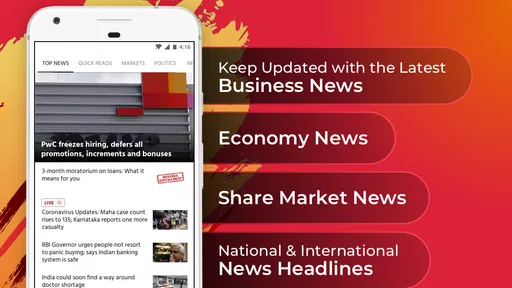
The first thing I noticed about the Economic Times: Business News app is its sleek and user-friendly interface. It's designed to make navigation a breeze, even if you're not a tech whiz. The home screen is well-organized, presenting the top headlines, market trends, and more at a glance. It's like a buffet of business news!
One feature that I particularly enjoyed is the personalized news feed. The app learns your preferences over time, curating content that matches your interests. Whether you're into stock markets, corporate news, or economic policies, the app tailors the content to your liking, making every scroll worthwhile.
Stay Informed with Notifications
For those who like to stay on top of things, the app’s notification system is your best friend. You can customize alerts for breaking news, stock updates, or even specific market sectors. This way, you never miss a beat, and you can stay informed even during a busy day.
Moreover, there's a nifty widget feature that allows you to place live updates directly on your home screen. It's perfect for those quick glances when you're on the go.
Deep Dive with In-Depth Analysis
Another aspect that sets this app apart is the in-depth analysis section. Here, you'll find expert opinions, detailed reports, and comprehensive articles that provide more than just headlines. It's an excellent resource for anyone who wants to understand the "why" behind the news.
For the stock market enthusiasts, the app offers detailed data and analytics that can help in making informed decisions. It’s like having a mini Bloomberg Terminal right on your phone.
Audio and Video Content
In today’s fast-paced world, not everyone has the time to read through articles. The app caters to this need by providing audio and video content. You can listen to podcasts or watch interviews with industry leaders, making it easier to consume information during your commute or workout sessions.
What’s the Catch?
No app is perfect, and the Economic Times: Business News app is no exception. While it offers a plethora of features, it does come with a few hiccups. Occasionally, there are ads that pop up, which can be a bit distracting. However, understanding that the app is free, it's a small price to pay for staying informed.
Another point to consider is that some premium content might be locked behind a subscription. If you're someone who thrives on exclusive insights, you might want to consider this option. However, the free content is comprehensive enough for most casual readers.
Final Thoughts
Overall, the Economic Times: Business News app is a solid choice for anyone looking to keep up with business news. Its ease of use, combined with personalized content and in-depth analysis, makes it a go-to app for business enthusiasts. While there are some ads and premium content, the free offerings are robust enough to keep you informed and engaged.
So, if you're on the hunt for a reliable news source that fits right into your lifestyle, give this app a go. You might just find it becomes your new favorite way to catch up on the world of business.
Pros
- Comprehensive financial news coverage.
- Real-time stock market updates.
- User-friendly interface and navigation.
- Personalized news feed options.
- Offline reading mode available.
Cons
- Some features require a subscription.
- Occasional ads can be intrusive.
- Limited customization for alerts.
- Heavy on battery usage.
- App size may be large for some devices.
FAQs for Economic Times : Business News
What kind of news can I expect from the Economic Times app?
The Economic Times app delivers a comprehensive range of news focused on business, finance, and the economy. Users can stay updated with the latest market trends, insightful analysis, and expert opinions. The app covers various sectors such as banking, real estate, technology, and international markets, ensuring you are well-informed on all economic fronts.
Is the Economic Times app free to use?
The Economic Times app offers both free and premium content. While a significant portion of the news and articles are accessible for free, subscribing to their premium service provides access to exclusive content, in-depth analysis, and ad-free browsing. Users can choose the plan that best suits their needs and interests.
How user-friendly is the Economic Times app interface?
The Economic Times app is designed with a user-friendly interface that prioritizes ease of navigation. The app features a clean design with organized sections, allowing users to effortlessly explore different news categories. Intuitive search functions and customizable notification settings enhance the overall user experience, making it accessible for all.
Can I customize the news alerts on the Economic Times app?
Yes, the Economic Times app allows users to customize news alerts based on their interests. Users can select specific topics or industries they wish to follow closely, ensuring they receive timely notifications about relevant updates. This feature helps users stay informed about the news that matters most to them.
Does the Economic Times app support offline reading?
The Economic Times app offers an offline reading feature, allowing users to download articles for later perusal. This is particularly useful for those who wish to catch up on news without an internet connection, such as during commutes. Simply save the articles you’re interested in, and read them at your convenience.


